
I described a vibe and Claude Design came back with a whole app
I’ve been building Sandman for a while now, and spending that much time with on-device models has me constantly thinking about what else I could build with them. A few weeks ago I had an idea for a privacy-focused search app. Local model running on the phone — it fetches web pages to search, but all the reasoning happens on-device. Nothing gets sent to a cloud model. I’d been thinking about it loosely but I didn’t have a clear picture of what it should look or feel like.
I tried Claude Design on a whim, and it surprised me.
⌗The prompt that started everything
I opened Claude Design and typed out a pretty rough description. Something like: it’s an Android app, uses a local model for privacy-based search, fetches webpages and processes them on device, based on Odie the dog from Garfield, warm colors, and make it a little weird. OpenClaw has this idea that things should be a little weird — it makes them feel more human. I like that.
No spec, no wireframe. I just described a feeling.
Claude came back with clarifying questions before it built anything. What kind of mascot? What palette? What’s the personality? What screens do you need? I answered: pixel-art dog, warm and weird but not pun-heavy, playful with cheeky microcopy. A thinking state where the dog runs across a progress bar. Home, search in progress, and a history screen called “sniffs.”
It went and built the whole thing.
⌗The designs were actually good
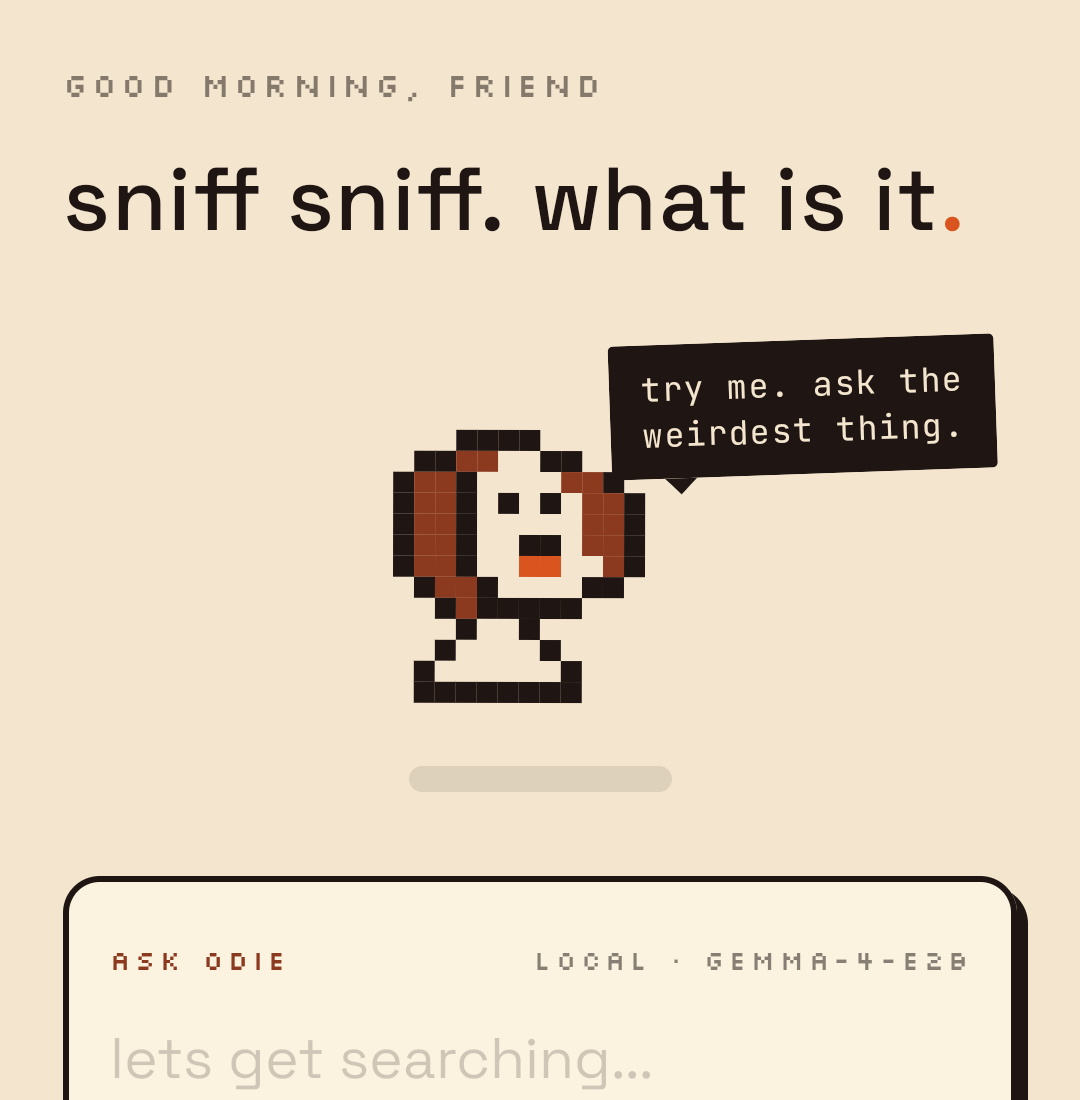
I was expecting a starting point. What I got felt friendly. It came back with a home screen with a search bar and mascot, a searching screen with an animated progress dog, results with expandable cards, a history screen called “buried sniffs,” and a settings page called “the den.” All interactive, all clickable.
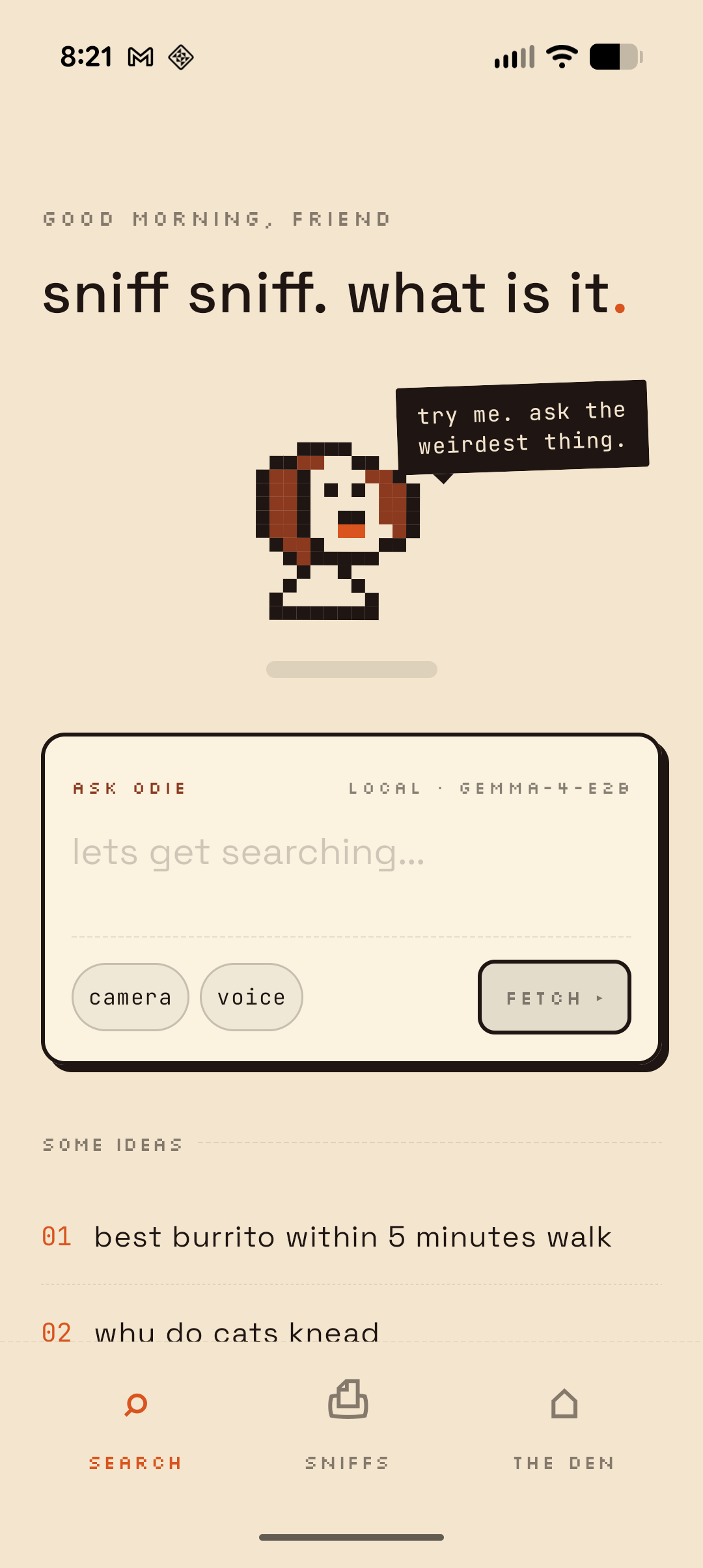
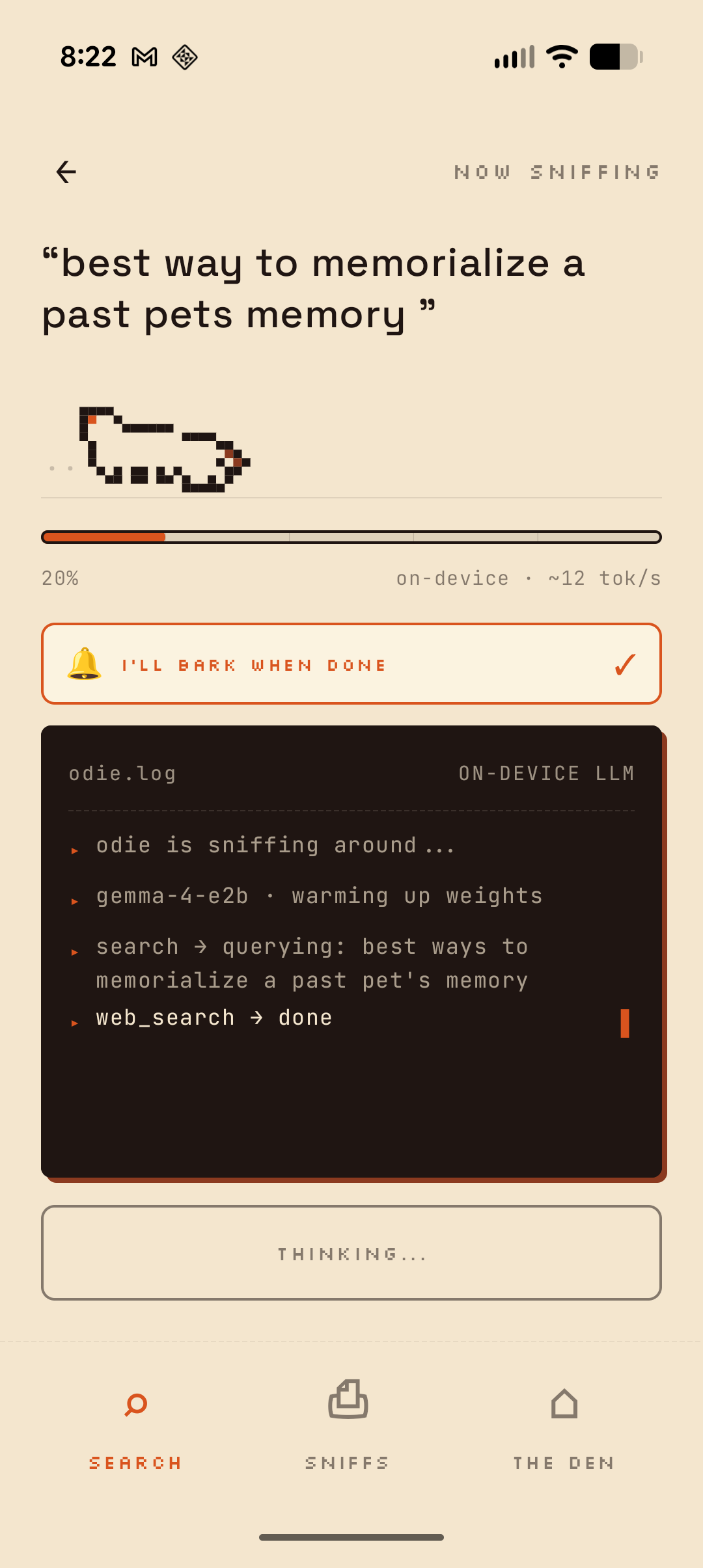
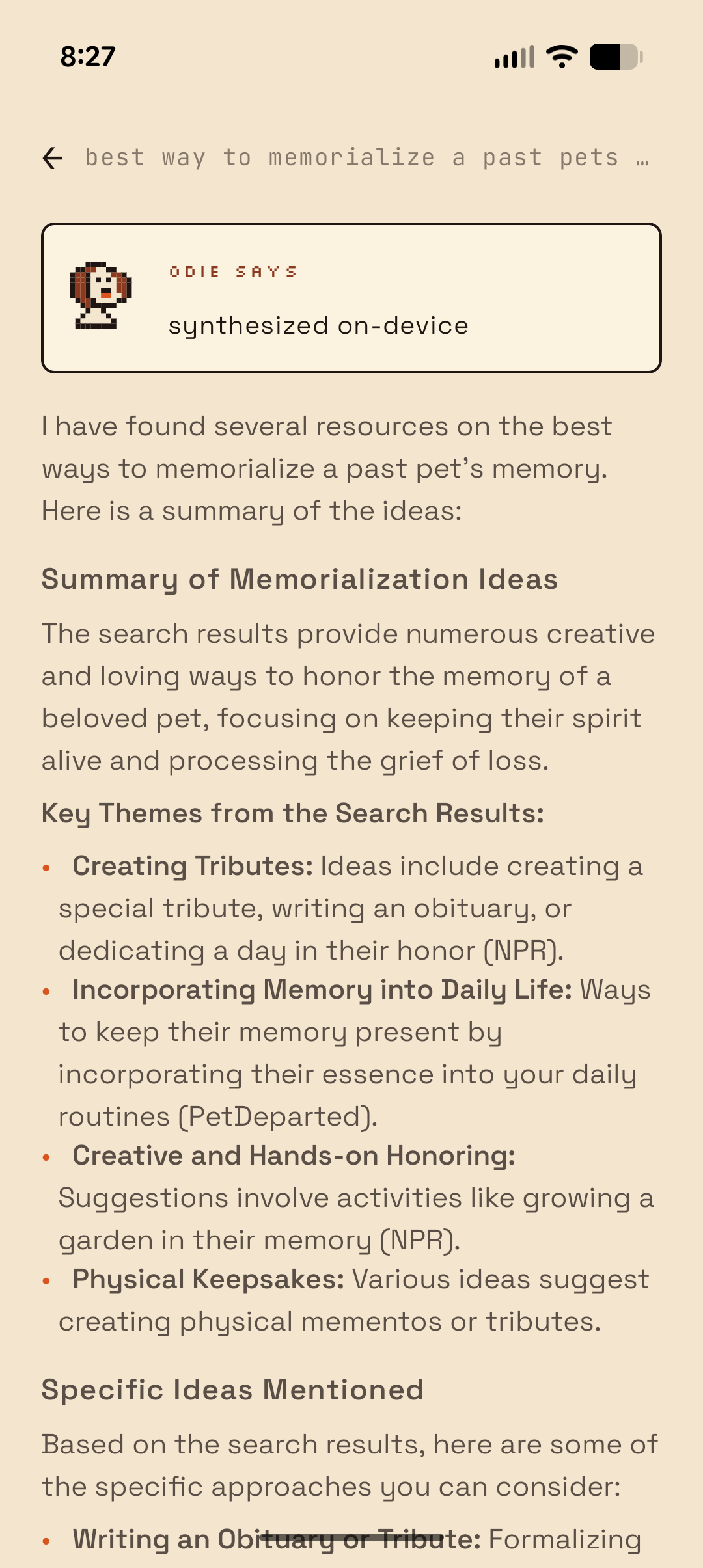
The microcopy got me. The search button says “fetch.” The progress log header says “nothing leaves this phone.” Search suggestions include things like “best burrito within 5 minutes walk” and “is my plant dying.” History is “buried sniffs.” The status page shows “bytes uploaded ever: 0” as a highlighted stat. It felt like a real product with a real personality.
It also came with a pixel-art dog mascot in multiple views — front-facing for the home screen, side-running for the search animation. The dog wags when you pet it.
⌗Pull to pet
My favorite detail was pull-to-refresh reimagined as “pull down to pet.” You drag down on the home screen and the dog reacts. The speech bubble changes from “try me. ask the weirdest thing.” to “mmmhm. good.” It’s a small stupid thing and I love it. That’s the kind of detail that makes an app feel alive.
Try it:
I wouldn’t have come up with this on my own. I would have implemented a standard pull-to-refresh and moved on. But Claude Design took the dog mascot and the playful personality brief and connected them into something that actually fits. That’s the part that got me. It made a design decision I’d expect from someone who actually understood the product.
⌗From prototype to native app in a weekend
I took the Claude Design prototype and rebuilt it as a native Android app in Kotlin over a weekend. The design was clear enough that I didn’t have to make many decisions during implementation. Colors, spacing, typography, screen flow — it was all there in the prototype. I just had to translate it.
Having Sandman scaffolding helped a lot. The on-device model inference, the agent loop, the tool-calling pipeline — I’d already built all of that. Odie reuses the same core architecture: Gemma 4 E2B running via LiteRT, an agent loop that parses XML tool calls, and a foreground service so Android doesn’t throttle inference when you switch apps.
The search itself is straightforward. Odie scrapes DuckDuckGo’s HTML endpoint, parses the top results, and feeds them to the on-device model. The model decides whether to fetch a full page, do another search, or write a final answer. It loops up to five times before committing to a response.
Location-based queries are the tricky part. Something like “best burrito within 5 minutes walk” needs location access, which is fine, but even once you have coordinates you still need a reverse lookup to turn that into something useful like a neighborhood name. That part still doesn’t work well. The model gets a lat/long pair and doesn’t really know what to do with it when searching the web.
Processing all of that on a local model takes a while. It’s not instant like a cloud API. So Odie runs the inference in a foreground service and barks you a notification when it’s done sniffing. You can switch apps, put your phone down, whatever. He’ll let you know.
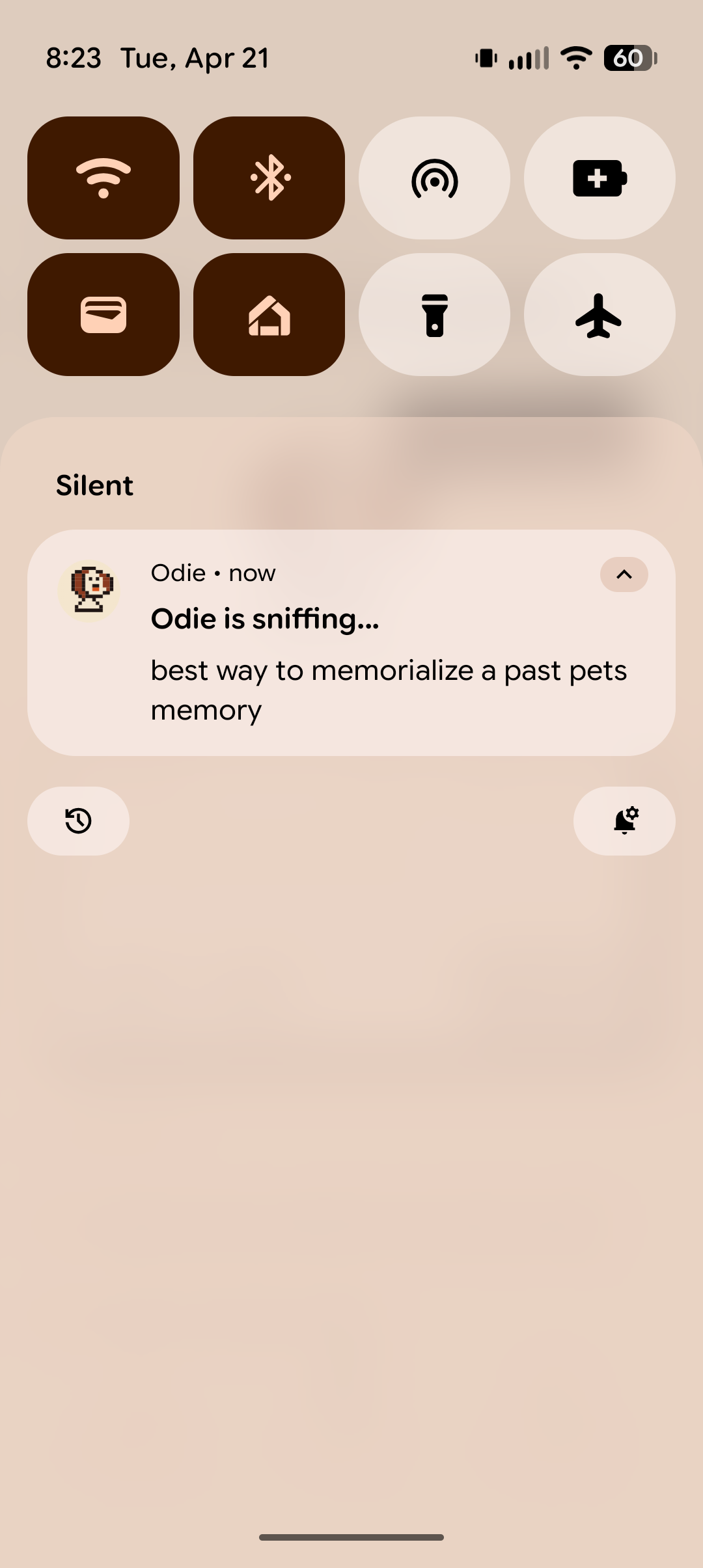
The whole thing runs without API keys or telemetry. Just a small dog and a regex.
⌗What Claude Design is actually good at
I’ve used design tools before and I’ve worked with designers. Claude Design is somewhere in between. It’s not replacing a designer on a complex product. But for a side project where I have a vibe in my head and need to get to something concrete fast, it does the job.
Microcopy and personality carried it. The copy felt like it belonged to a real product with a point of view. Pull-to-pet, the animated search progress, the expandable result cards — I didn’t ask for any of those. Claude Design came up with them from the personality brief.
Warm palette, pixel art, typography — it all felt like one product. And getting a clickable animated prototype instead of static screens made it way easier to evaluate.
If you’re a builder who lives in Claude Code and struggles with the design side, this is a great way to go from functional to something with actual personality. But I’d keep expectations in check for anything more refined. I tried it at work on a more serious product and the designs it came back with were kind of comical. They weren’t usable as-is, but they did get us thinking about UX decisions we hadn’t considered. It’s better as an exploration tool than a production design pipeline.
The handoff from Claude Design to Claude Code was rougher than I expected. I tried just about everything — copying the artifact, pasting the code, linking the conversation — but the only thing that actually worked was downloading the zip file and dropping it into the project. Once Claude Code had the files locally it could reference them, but getting there wasn’t smooth.
On the flip side, translating from React/JSX to Kotlin/Compose meant interpreting some things. Not everything maps 1:1. And Claude Design will happily design screens you didn’t ask for. The “den” settings page was a nice bonus, but I could see that getting out of hand on a bigger project.
⌗What I’m still thinking about
Usually the design phase is where I get stuck on side projects. I can build the thing but I don’t know what it should look like, so it sits in my head. Claude Design got me past that wall in an afternoon. I described a pixel-art dog search engine in one paragraph and got back something I actually wanted to build.
I don’t think this replaces working with a designer. But for the kind of project that would otherwise never leave my notes app, it’s enough to get moving.
Odie is a side project and isn’t publicly available yet. If you’re interested in on-device search or the agent loop architecture behind it, check out my posts on building agent loops for local models and Gemma 4 tool calling.